
MEPCO Bill Check Online | View & Download Duplicate Bill | 2026
MEPCO bill check is the process of viewing your Multan Electric Power Company electricity bill online using your reference number, consumer ID, or CNIC, without waiting for the paper copy to reach your home.
Whether you’re a resident of Multan, Bahawalpur, Sahiwal, Vehari, or any of the other districts MEPCO serves, you can pull up your current bill, download it as a PDF, and check whether it’s been paid in under a minute.
Who Needs MEPCO Bill Check Online?
Anyone with an active MEPCO electricity connection, whether domestic, commercial, or industrial, needs this at some point: a missed paper bill, a payment dispute, or simply wanting to track usage before the due date. You don’t need to register or create an account. All you need is your 14-digit reference number or your 10-digit consumer ID, both printed on any earlier MEPCO bill.
New consumers who haven’t received a first paper bill yet can still use their CNIC linked to the connection. There’s no fee for checking your bill online, and it works the same for residential, commercial, and industrial connections across Multan, Bahawalpur, Sahiwal, Khanewal, Vehari, and the rest of MEPCO’s coverage area.
How Do You Check Your MEPCO Bill Online?
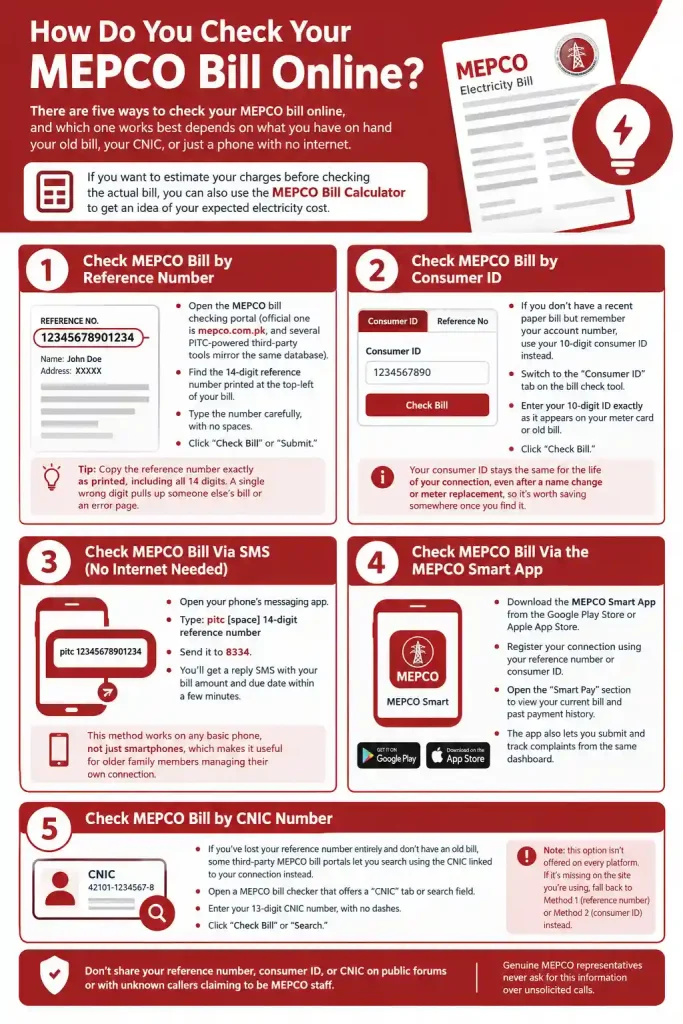
There are five ways to check your MEPCO bill online, and which one works best depends on what you have on hand your old bill, your CNIC, or just a phone with no internet. If you want to estimate your charges before checking the actual bill, you can also use the MEPCO Bill Calculator to get an idea of your expected electricity cost.
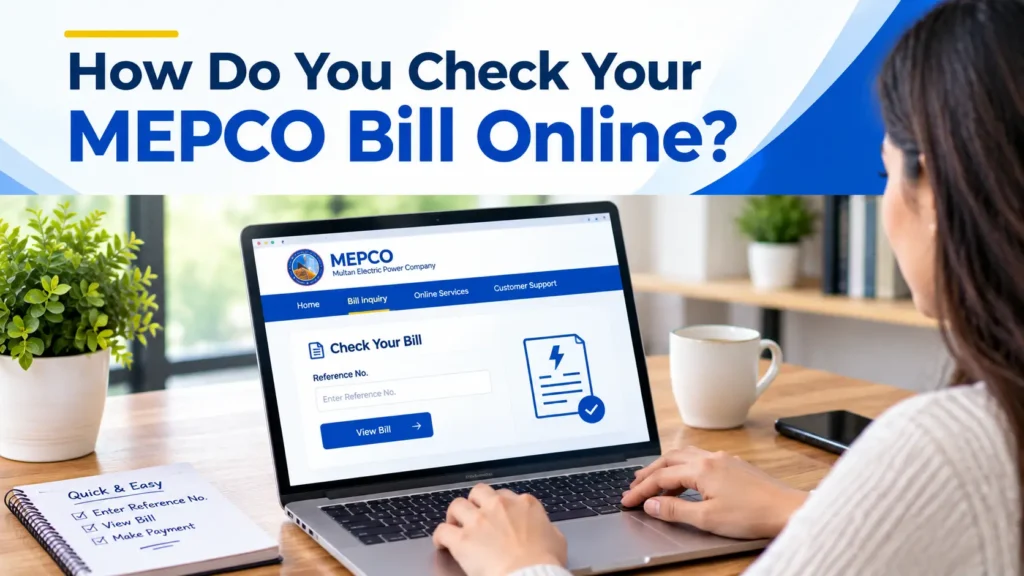
Method 1: Check MEPCO Bill by Reference Number
This is the fastest and most common method, and it’s what most MEPCO bill check tools default to.
Your current bill, along with a 12-month bill history, should load within seconds.
Tip: Copy the reference number exactly as printed, including all 14 digits. A single wrong digit pulls up someone else’s bill or an error page.
Method 2: MEPCO Bill Check by Consumer ID
If you don’t have a recent paper bill but remember your account number, use your 10-digit consumer ID instead.
Your consumer ID stays the same for the life of your connection, even after a name change or meter replacement, so it’s worth saving somewhere once you find it.
Method 3: Check MEPCO Bill Via SMS (No Internet Needed)
If you’re somewhere without data or wifi, you can still pull up your bill amount by text message.
You’ll get a reply SMS with your bill amount and due date within a few minutes. This method works on any basic phone, not just smartphones, which makes it useful for older family members managing their own connection.
Method 4: Check MEPCO Bill Via the MEPCO Smart App
For consumers who check their bill every month, the MEPCO Smart App, developed by the Power Information Technology Company (PITC), is worth installing.
The app also lets you submit and track complaints from the same dashboard, so you’re not switching between the website and a phone call for support.
Method 5: Check MEPCO Bill by CNIC Number
If you’ve lost your reference number entirely and don’t have an old bill on hand, some third-party MEPCO bill portals let you search using the CNIC linked to your connection instead.
The tool pulls up any connections registered under that CNIC.
Note: this option isn’t offered on every platform. If it’s missing on the site you’re using, fall back to Method 1 (reference number) or Method 2 (consumer ID) instead.
Don’t share your reference number, consumer ID, or CNIC on public forums or with unknown callers claiming to be MEPCO staff. Genuine MEPCO representatives never ask for this information over unsolicited calls.
Mepco Bill Check | Infographics
Mepco Bill Check Video Guide
Where Do You Find Your MEPCO Reference Number or Consumer ID?
Both numbers are printed on every paper MEPCO bill you’ve ever received. The 14-digit reference number sits in the top-left corner, just above your name, address, and billing month, clearly labelled “REFERENCE NO.” The 10-digit consumer ID usually appears just below it or near the meter reading section, sometimes labelled “Consumer No” or “Account No.” If you’ve genuinely lost every paper copy, visit your nearest MEPCO customer service centre with your CNIC, they can look up your account details on the spot.
How Do You Download or Print Your MEPCO Duplicate Bill?
Once your bill loads on screen after using any of the check methods above, downloading or printing it takes two more steps.
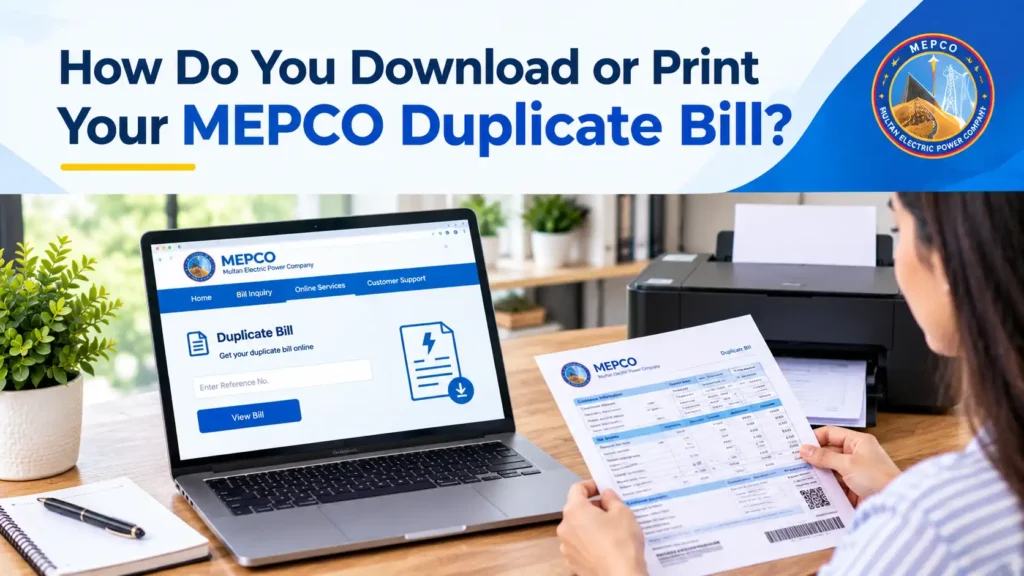
This gives you a duplicate MEPCO bill copy you can email, print at a shop, or keep for your own records, useful if you’re applying for a loan, a visa, or a utility connection elsewhere and need proof of address or bill history.
Which Method Should You Use? Comparison Table
|
Method |
Accessibility |
Speed |
Internet Needed |
Best For |
|---|---|---|---|---|
|
Reference Number (Web) |
Any browser |
Instant |
Yes |
Most consumers with an old bill |
|
Consumer ID (Web) |
Any browser |
Instant |
Yes |
Consumers without a recent paper bill |
|
SMS (8334) |
Any phone |
~1–2 min |
No |
Areas with poor internet coverage |
|
MEPCO Smart App |
Android/iOS |
Instant |
Yes |
Consumers who check bills monthly |
|
CNIC Search |
Any browser |
Instant |
Yes |
Lost reference number and consumer ID both |
So, checking your MEPCO bill by reference number on the web is the best method for most people, it’s instant, needs no app install, and works the same whether you’re in Multan or Rajanpur. Keep the SMS method saved as a backup for when your internet is down.
How Do You Check If Your MEPCO Bill Is Paid or Unpaid?
After entering your reference number or consumer ID, the bill display page shows a payment status field, usually labelled “Paid,” “Unpaid,” or “Payment Received On [date].” If your bill shows as unpaid but you’re sure you paid it, wait 24 to 48 hours for bank or mobile wallet transactions to reflect in MEPCO’s system before assuming there’s an error. If it still shows unpaid after two days, keep your payment receipt or transaction ID and contact the MEPCO helpline to confirm it manually.
Understanding Your MEPCO Bill (What Each Charge Means)
A MEPCO bill isn’t just one number, it’s a breakdown of several charges stacked together, and knowing what each one covers helps you spot billing errors faster.
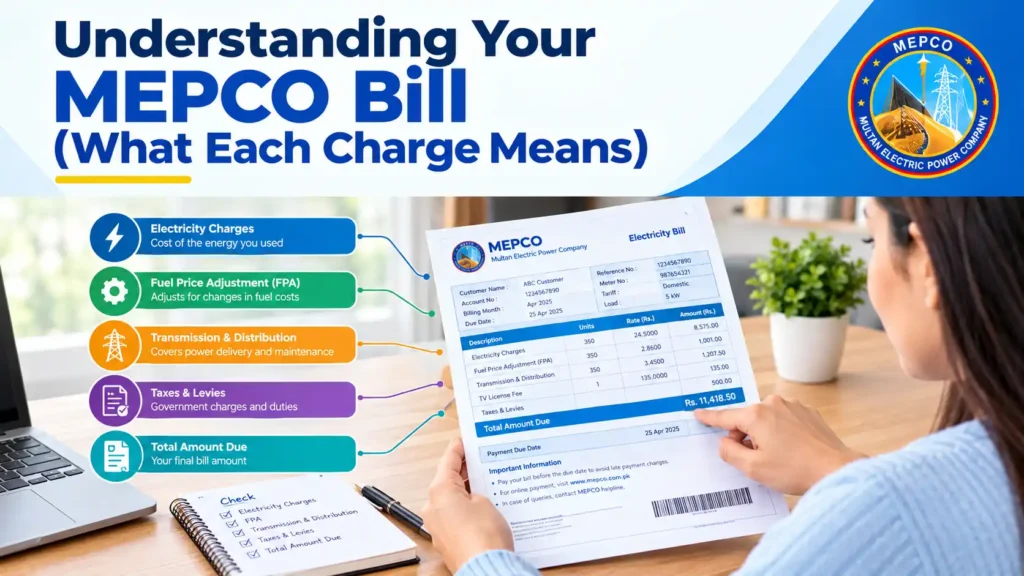
Meter Reading and Units Consumed
This section shows your previous and current meter readings in kWh (units), and the difference between them is what you’re billed for that month. If your connection has an AMR (Automatic Meter Reading) meter, this reading is captured remotely rather than by a meter reader visiting your property, which is common now across Multan and other MEPCO circles.
Bill Charges Explained
|
Charge |
What It Means |
|---|---|
|
FPA (Fuel Price Adjustment) |
A variable charge added or subtracted based on the government-notified fuel cost for electricity generation that month. It changes month to month, so don’t be surprised if your per-unit rate looks different even with similar consumption. |
|
GST (General Sales Tax) |
Applied at the standard government rate on top of your electricity charges. |
|
TV Fee |
A fixed monthly charge collected on behalf of PTV, applicable on domestic connections. |
|
TR Surcharge (Tariff Rationalization) |
A separate cost-adjustment charge set by NEPRA and applied uniformly across all consumers. |
|
Deferred Amount |
Appears when a previous adjustment or subsidy is spread out over multiple bills instead of charged all at once. |
|
QTA (Quarterly Tariff Adjustment) |
Reflects rate changes NEPRA approves every quarter; it can add to or reduce your total depending on the direction of the adjustment. |
If any of these line items look unusually high compared to previous months, note the exact figure and raise it with MEPCO’s complaint system rather than assuming it’s an error on your end.
How Do You Pay Your MEPCO Bill?
You can pay MEPCO bill online through a handful of apps and banks, or offline at a counter if you’d rather have a paper receipt.
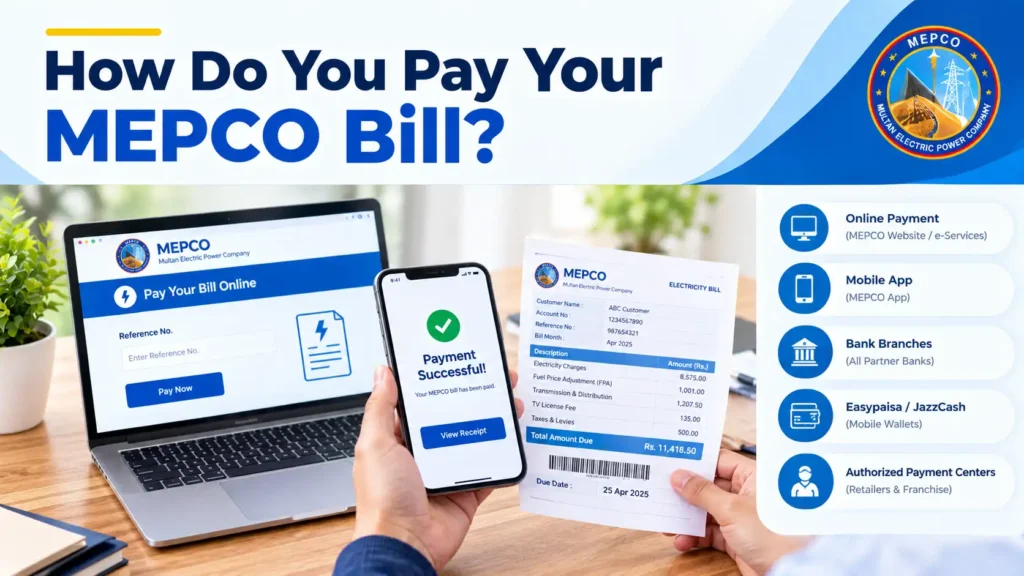
Online Payment Methods
Why this matters: paying through a bank app or JazzCash/Easypaisa gives you an instant digital receipt with a transaction ID, which is far easier to produce as proof than a physical counter slip if a payment dispute comes up later.
Offline Payment Methods
If you’d rather pay in person, MEPCO bills can be paid at any designated bank branch (HBL, UBL, MCB, Bank of Punjab, and others), or directly at your local MEPCO customer service centre. Bring your printed or duplicate bill copy so the reference number can be scanned without manual entry errors.
Keep every payment receipt, digital or paper, for at least six months. It’s your only proof if a payment doesn’t reflect on your next bill.
What If You Can’t Pay Your MEPCO Bill on Time?
MEPCO offers an installment facility for consumers facing an unusually high bill, splitting the extra amount over two or three following bills instead of demanding it all at once. To request this, visit your local MEPCO customer service centre with your bill and CNIC, or raise a request through the Customer Complaint Management System (CCMS). Due date extensions are handled case by case and aren’t automatic, so it’s worth applying before the due date passes rather than after your connection is at risk of disconnection.
MEPCO Peak Hours and How They Affect Your Bill
MEPCO peak hours fall in the evening, but the exact window shifts by season since days get shorter or longer through the year. If your connection uses a Time-of-Use (TOU) meter, electricity consumed during peak hours is billed at a higher rate than off-peak usage.
MEPCO Peak Hours by Season
|
Season |
Months |
Peak Hours |
|---|---|---|
|
Winter |
December – February |
5 PM – 9 PM |
|
Spring |
March – May |
6 PM – 10 PM |
|
Summer |
June – August |
7 PM – 11 PM |
|
Autumn |
September – November |
6 PM – 10 PM |
Note: these timings follow the general NEPRA-notified schedule, but they can be revised, so always double-check the peak-hour window printed on your current MEPCO bill before relying on it.
Shifting heavy appliance use, washing machines, water heaters, irons, to off-peak hours can visibly reduce your monthly total if you’re on a TOU tariff.
MEPCO Tariff Rates (Residential, Commercial, Industrial)
MEPCO applies slab-based tariffs for residential (domestic) consumers, meaning the per-unit rate increases as your monthly consumption crosses higher usage slabs, a common structure across all Pakistani DISCOs including MEPCO and other WAPDA-linked companies. Commercial and industrial connections are billed on separate, generally higher, flat or slab structures set by NEPRA. Exact per-unit rates change periodically with NEPRA notifications and quarterly adjustments, so always check the rate schedule on your current bill rather than relying on last year’s numbers.
How Do You File a MEPCO Complaint?
There are two ways to raise a MEPCO complaint, online through CCMS or directly through the helpline, and which one you pick depends on how urgent the issue is.
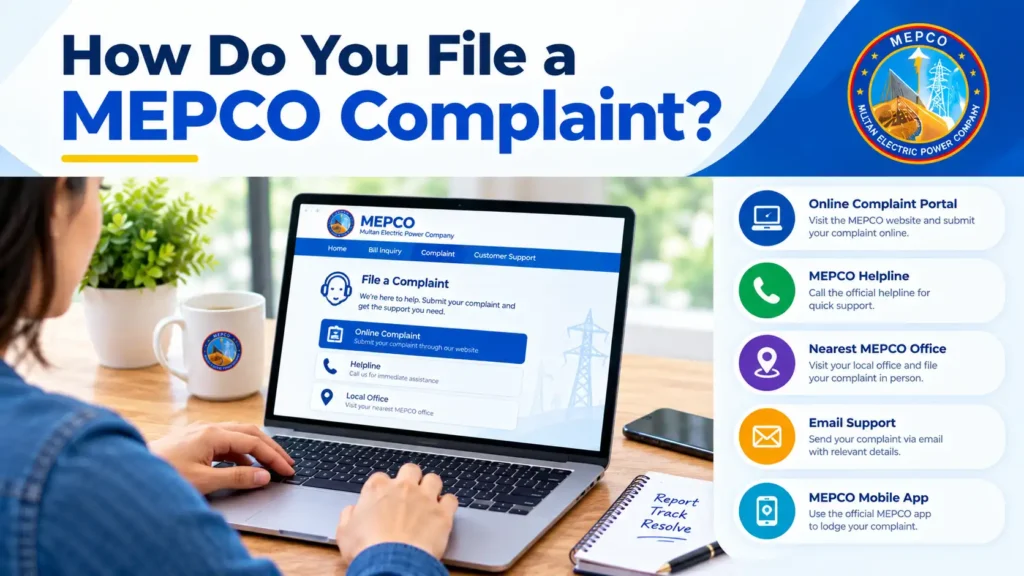
Filing a Complaint Through CCMS Online
MEPCO’s Customer Complaint Management System (CCMS) lets you register billing disputes, meter issues, or service complaints online. Visit the CCMS portal, select your complaint category (billing, meter, voltage, new connection, etc.), fill in your consumer details, and submit. You’ll receive a complaint tracking number to check status later.
Calling the MEPCO Helpline
For urgent issues, call the MEPCO consumer helpline at 1199, available for bill complaints, meter problems, new connection queries, and general support. Keep your reference number or consumer ID ready before calling so the representative can pull up your account immediately.
Note: if your complaint isn’t resolved within a reasonable time through the helpline, escalate it through CCMS with your original complaint number attached, this creates a paper trail if the issue needs to go further.
How Do You Apply for a New MEPCO Connection?
Applying for a new MEPCO connection involves a few set steps, whether you start online or walk straight into a customer centre.
Note: even if you begin the application online, final documentation is usually verified in person at the customer centre, and the full process typically takes a few weeks depending on your area and connection type.
MEPCO Service Areas (Districts Covered)
MEPCO is the largest electricity distribution company in Pakistan by service area, covering South Punjab and parts of central Punjab.
|
# |
District |
|---|---|
|
1 |
Multan |
|
2 |
Khanewal |
|
3 |
Vehari |
|
4 |
Lodhran |
|
5 |
Bahawalpur |
|
6 |
Bahawalnagar |
|
7 |
Rahim Yar Khan |
|
8 |
Dera Ghazi Khan |
|
9 |
Muzaffargarh |
|
10 |
Layyah |
|
11 |
Rajanpur |
|
12 |
Sahiwal |
If you live in any of these districts, your electricity bill, whether you call it a “MEPCO bill,” “WAPDA bill,” or “bijli bill,” is issued and managed by MEPCO, not a separate distribution company.
Tips to Reduce Your MEPCO Bill
Common MEPCO Bill Problems and Solutions
Most MEPCO bill issues fall into a handful of repeat categories, here’s what to do for each one.
|
Problem |
Solution |
|---|---|
|
Reference number not working on the bill checker |
Re-check the 14-digit number for typos or a missing digit; try the consumer ID method instead if it still fails. |
|
Bill shows an unusually high amount with no change in usage |
Compare the meter reading printed on the bill against your own reading; if it doesn’t match, request a meter check through CCMS. |
|
Payment made but bill still shows unpaid |
Wait 24–48 hours for the transaction to reflect; if it still shows unpaid, keep your receipt and contact the MEPCO helpline. |
|
No paper bill received this month |
Use the online bill checker or SMS method with your reference number or consumer ID; you don’t need the physical copy to view or pay. |
|
Site down or “no record found” error |
Try again after some time, or switch to a different MEPCO bill checking platform, the underlying PITC database is the same across all of them. |
|
Wrong name or address on the bill |
Visit your local MEPCO customer service centre with your CNIC to request a correction; this can’t be fixed online. |
|
Duplicate bill won’t download or print |
Use Ctrl+P and select “Save as PDF” from the destination dropdown instead of relying on a direct download button. |
|
Meter reading looks estimated, not actual |
Report it through CCMS so a MEPCO staff member schedules an actual reading for the next cycle. |
If a problem persists after trying the fix above, escalate it through CCMS with a complaint number rather than repeating the same troubleshooting step.

Huzaifa Akbar (Founder, MEPCO Bill Online & Utility Services Content Writer)
Muhammad Usman is the founder of MEPCO Bill Online, a website focused on helping consumers understand and manage MEPCO electricity billing and related services in Pakistan. He writes about MEPCO bill checking, duplicate bill downloads, bill payment methods, billing charges, complaints, load shedding schedules, and other electricity-related processes.
His work focuses on researching official information and explaining complex billing procedures in a simple, practical way. The goal is to provide clear and easy-to-follow information that helps MEPCO consumers check their bills, understand charges, resolve common billing issues, and use available online services with confidence.
Frequently Asked Questions
What is a MEPCO bill?
A MEPCO bill is the monthly electricity invoice issued by Multan Electric Power Company to consumers across its thirteen South Punjab districts, showing units consumed, charges, taxes, and the amount due.
How do I check my MEPCO bill online?
Visit the MEPCO bill check portal, enter your 14-digit reference number or 10-digit consumer ID, and click “Check Bill” to view your current bill instantly.
How do I check my MEPCO bill by reference number?
Enter your 14-digit reference number, found on the top-left of any previous bill, into the reference number field on the MEPCO online bill checker and submit.
How do I check my MEPCO bill by CNIC?
Some third-party MEPCO portals allow searching by your 13-digit CNIC if you’ve lost your reference number and consumer ID; enter it without dashes in the CNIC search field where offered.
How do I check my MEPCO bill via SMS?
Text “pitc [space] your 14-digit reference number” to 8334 from any phone, and you’ll receive your bill amount and due date by return SMS.
How can I check my old or previous MEPCO bills?
The MEPCO online bill checker shows up to 12 months of bill history automatically once you enter your reference number or consumer ID.
What is a MEPCO reference number?
It’s a unique 14-digit number printed on every MEPCO bill, used to identify your specific connection when checking or paying your bill online.
How do I pay my MEPCO bill online?
You can pay through JazzCash, Easypaisa, your bank’s mobile app, a 1Link ATM, or Daraz Wallet by selecting MEPCO under electricity bill payment and entering your reference number.
What is MEPCO meter reading, and how does it affect my bill?
Meter reading is the difference between your previous and current electricity usage in units (kWh); this difference, multiplied by the applicable tariff, forms the base of your bill.
How do I know if my MEPCO bill is paid or not?
Check your bill on the online portal using your reference number; the payment status field shows “Paid” or “Unpaid” along with the payment date if applicable.
How do I file a complaint about my MEPCO bill?
Register your complaint through the CCMS online portal or call the MEPCO helpline at 1199, and keep your complaint tracking number for follow-up.
How do I apply for a new MEPCO connection?
Visit your local MEPCO customer service centre with your CNIC and property documents to receive a demand notice, then pay the specified charges to begin the installation process.
What are MEPCO peak hours?
MEPCO peak hours generally fall between 6 PM and 10 PM, though exact timing varies by season, and usage during this window is billed higher for consumers on Time-of-Use meters.
Can I get an installment plan if my MEPCO bill is too high?
Yes, visit your local MEPCO office or apply through CCMS to request an installment plan that spreads the extra amount over your next two or three bills.
Is the MEPCO Smart App official?
Yes, the MEPCO Smart App is developed by the Power Information Technology Company (PITC) and lets you check bills, make payments, and track complaints from your phone.
Final Thoughts
MEPCO bill check online takes less than a minute once you’ve got your reference number or consumer ID handy, and it beats waiting on a paper copy that might get delayed or lost. I really suggest saving your reference number somewhere on your phone, a notes app or a photo of your last bill, so you’re never stuck searching for it right before a due date.
If you check your bill regularly and keep an eye on the FPA and surcharge lines, you’ll rarely be caught off guard by an unexpected spike.